OpenBOM™ is a registered Trademark of Newman Cloud, Inc. | © 2022


- Introduction
- User Interface Overview for Catalog Creation
- User Interface
- Add Property
- Add Items
- Import Part from Online Content Provider
- Conclusion
Introduction
Creating and managing catalogs is fundamental for organizing and centralizing your product data. A well-structured catalog ensures consistency and accessibility of component information throughout your product development lifecycle.User Interface Overview for Catalog Creation
Learn the methods to create a catalog in OpenBOM, starting with the User Interface:User Interface
- Navigate to Create Catalog:
- From the main menu, select “Create”
- Select “Create Catalog”
- Fill in the Details:
- In the “Create Catalog” dialog box, type a name for your catalog in the “Name” field. (In this example, the name is SecureTech Lock)
- Optional: Set Up Part Number.
- If needed, configure part numbers for your items.
- Submit:
- Once you’ve filled in the necessary information, click “Submit” to complete the process.
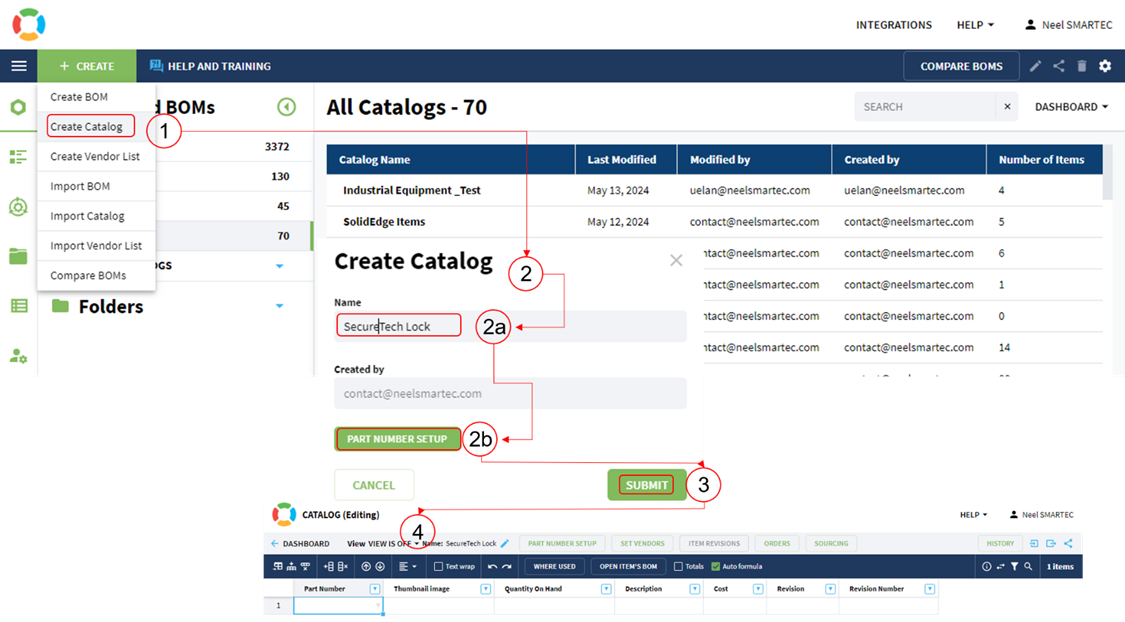 Fig 1: Create Catalog from User Interface
Add Property
- Click on the drop-down arrow for Context Menu or Click on Add property menu:
- Type in the required Property (In this example “Reference Designator”):
- Click Add:
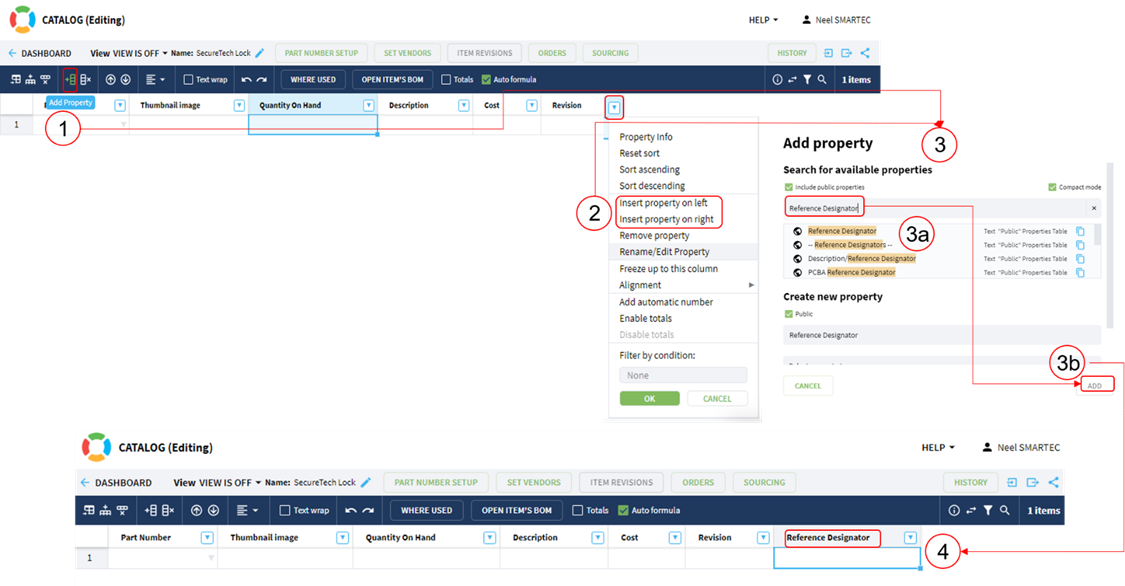 Fig 2: Add Property to Catalog Remember, don’t add the property – “Quantity” in Catalogs. It belongs in BOMs, where it’s needed.
Add Items
- Click on the drop-down arrow for Context Menu or Click on Add Item menu:
- Type in the required Item details (In this example “Part Number: STL-001, Name: Lock Cylinder”):
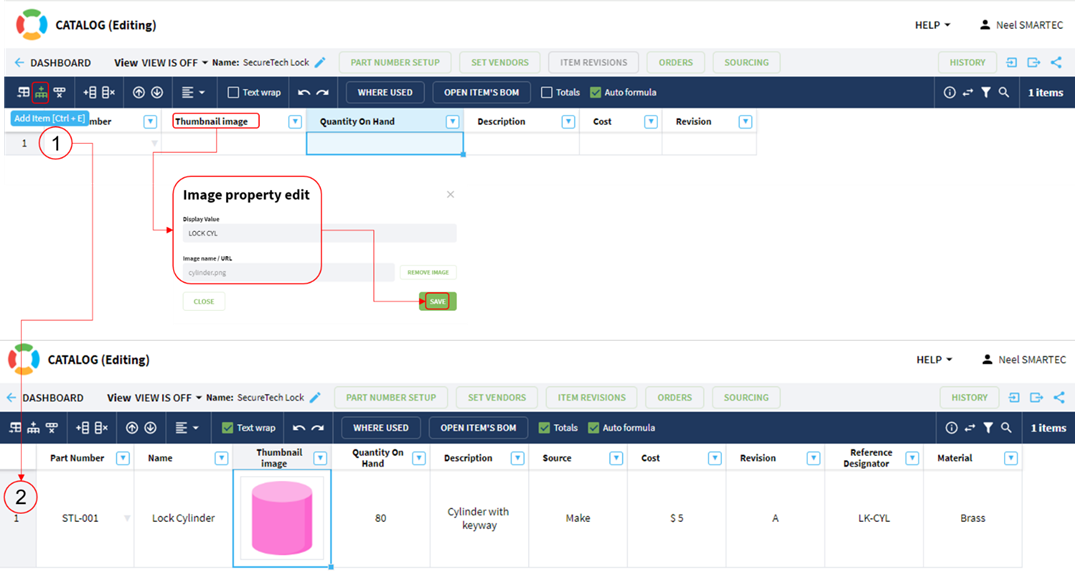 Fig 3: Add Items to Catalog
- For Image Click on the Edit image from Context menu:
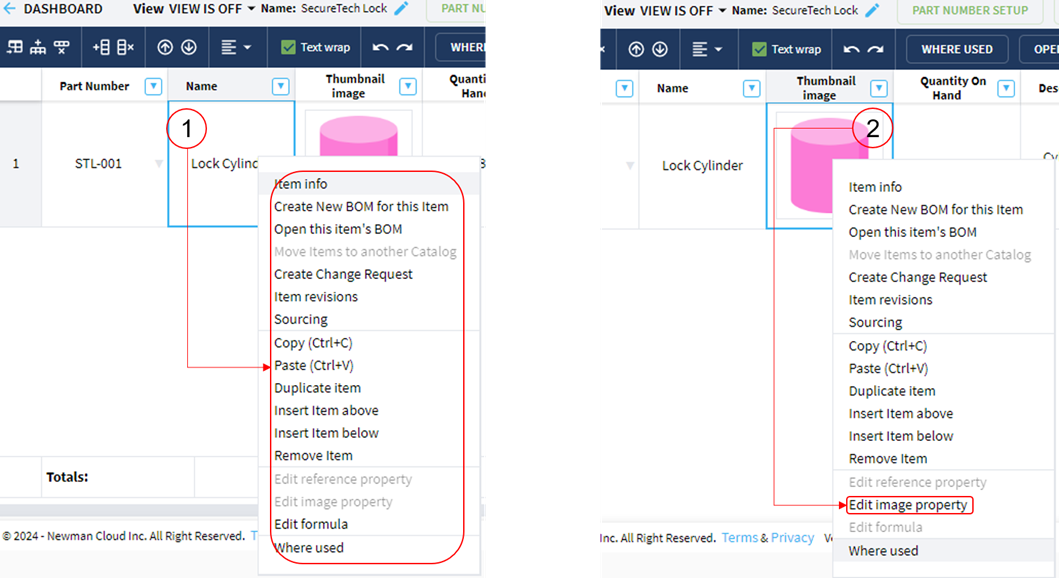 Fig 4: Context Menu If you want to reorder the property as per your organization’s standard, OpenBOM recommends using ‘User-Defined Views’ to effectively manage the order of properties, especially for Bills of Materials (BOMs). Additionally, utilize the ‘Property Order Panel’ when working with catalogs.
 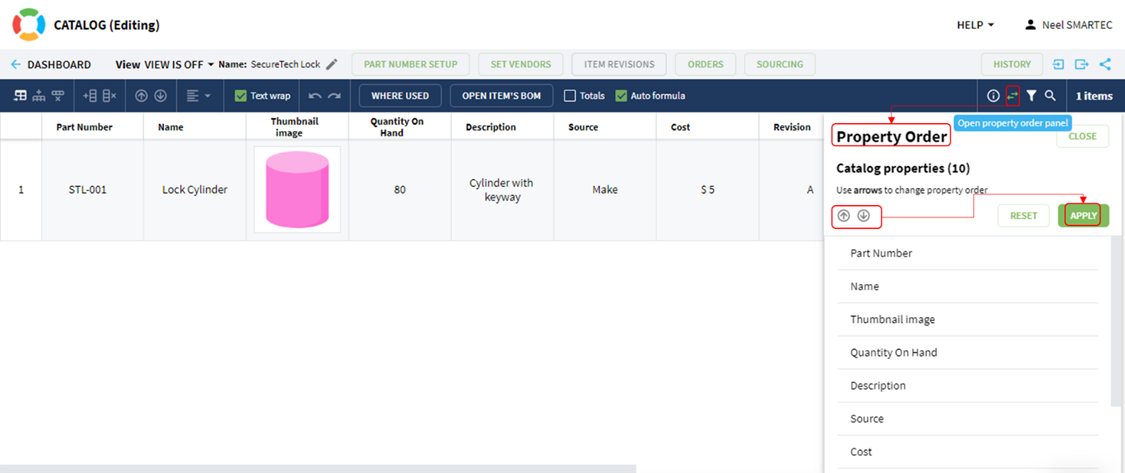 Fig 5: Property Order Panel (Catalog)
 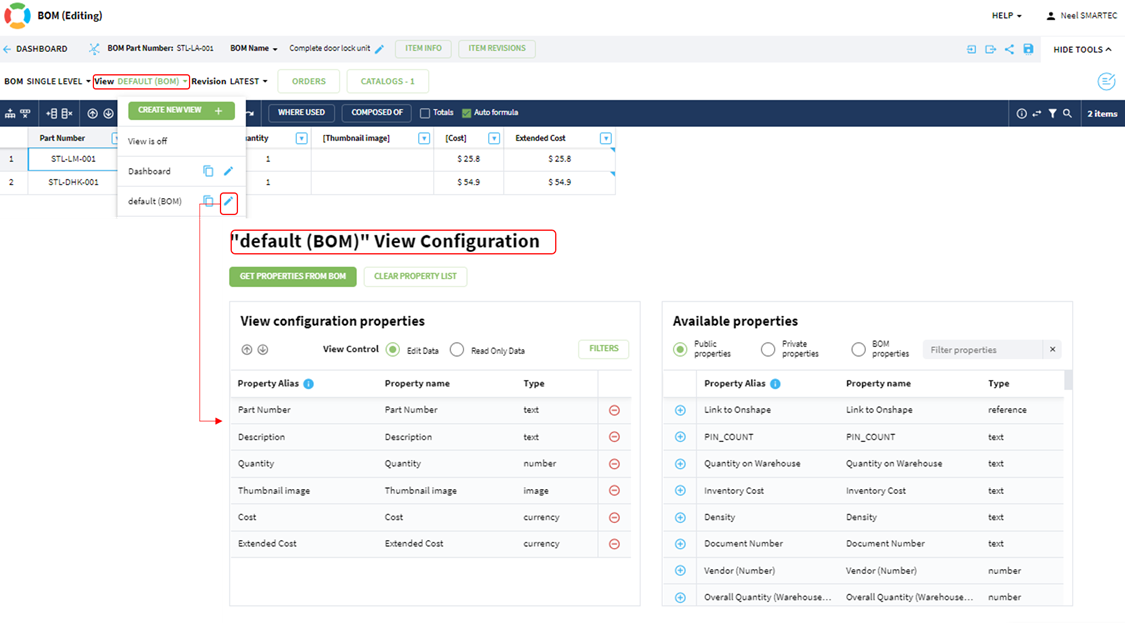 Fig 5.1: User Defined Views (BOM)
Import Part from Online Content Provider
- Click on the Import Part from Online Content Provider menu:
- Choose the available online content provider (“Cadenas Part Solutions and Traceparts are currently on hold. Only Octopart is available for use.”):
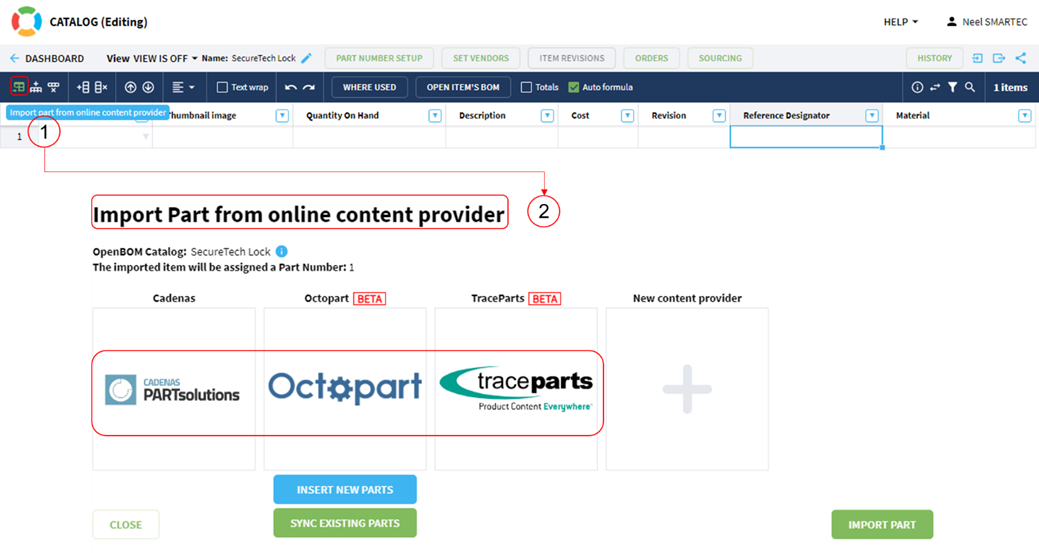 Fig 6: Online Content Provider
- Typed in “Door Lock” in the search box:
- 10 results are brought in:
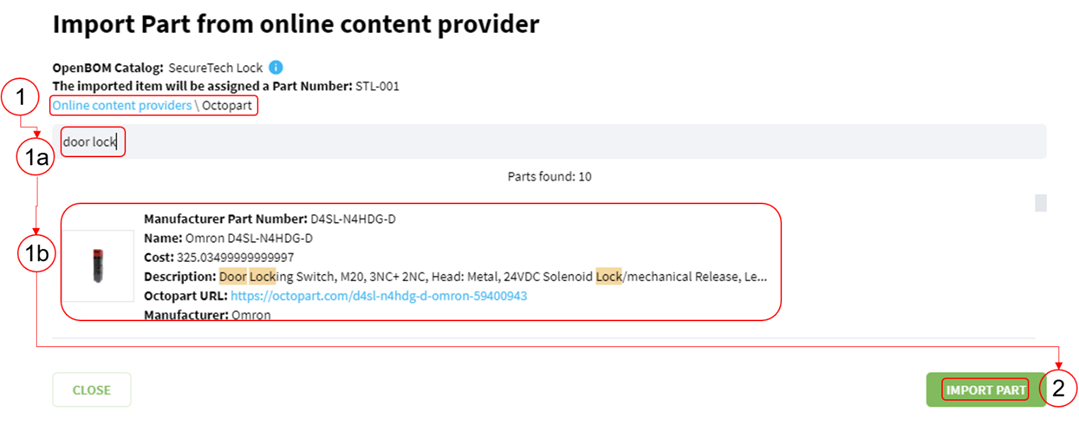 Fig 7: Import Part from Online Content Provider
- Click on Import part menu:
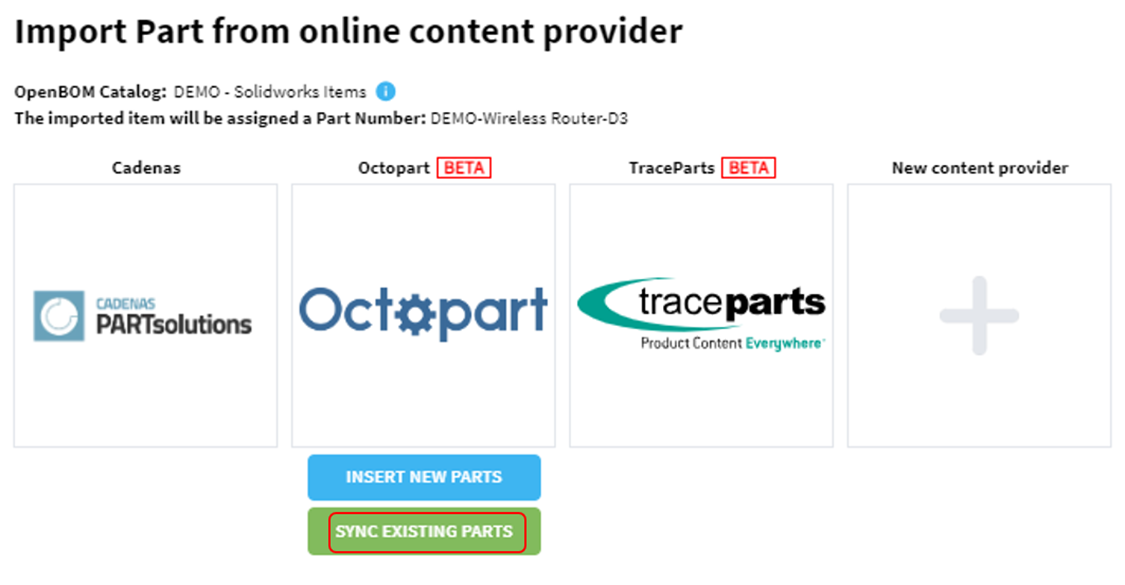 Fig 7.1: Synchronize Existing Parts from Online Content Provider